
What AI Actually Automates Now
| Takeaway | Detail |
|---|---|
| AI saves time on setup, not judgment | plan for the validation bottleneck | The real efficiency gain in AI-assisted structural design comes from automating load combos and result extraction, but engineers must budget review time for unusual cases like drifting snow that code factors don’t fully cover. |
| Dataset curation is the make | or-break step for custom models | Before training any structural AI, map your workflow and collect domain-specific data (drawings, analysis results) because generic Kaggle datasets won’t capture code-specific edge cases. |
| PyTorch suits research flexibility; TensorFlow suits production deployment | Choose PyTorch for rapid prototyping of custom structural models, but switch to TensorFlow Serving when embedding AI checks into existing analysis pipelines. |
| Monitor validation loss, not just training loss, to avoid overfitting | Increasing epochs from 5 to 50 improves training metrics, but without validation monitoring you risk a model that memorizes your dataset and fails on new load cases. |
| Explicitly pass custom parameters to the optimizer | In PyTorch, any bias term or custom layer you add to an nn.Module won’t update unless you include it via model.parameters()—a silent failure that wastes hours. |
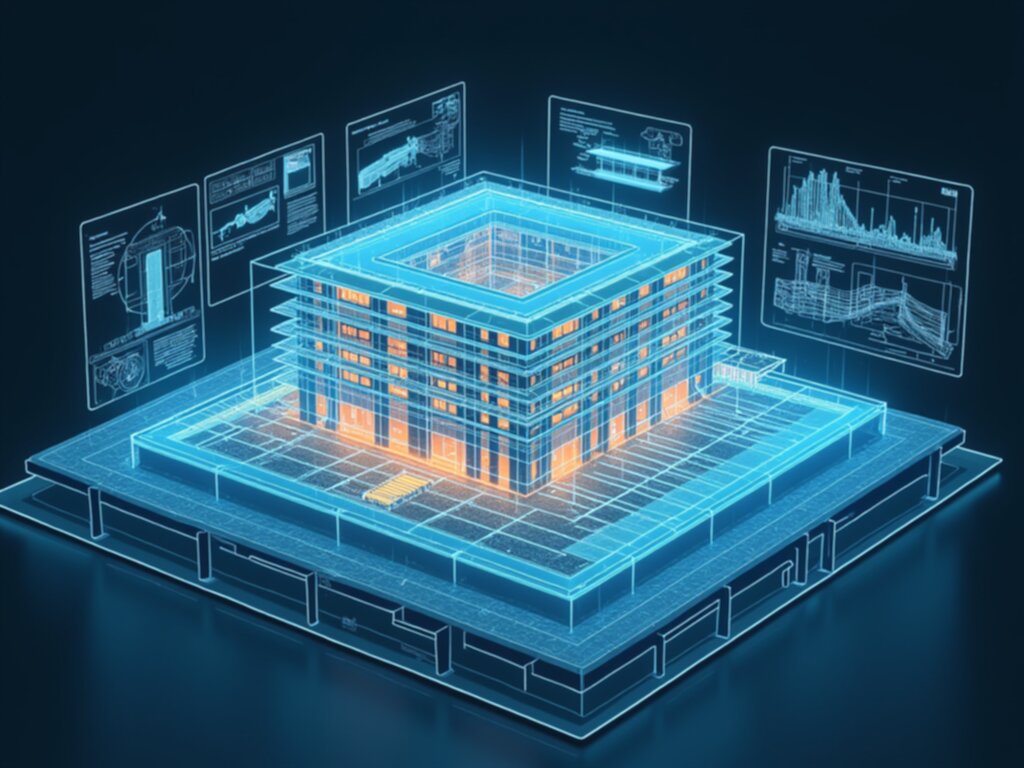
AI-assisted structural design tools have moved past the demo stage. Today, commercial software like Bentley’s STAAD can generate load combinations, create envelopes, and extract results automatically—tasks that once consumed an engineer’s morning. But the field is learning a hard lesson: the bottleneck isn’t model accuracy, it’s the validation workflow. A tool that correctly applies ASCE 7-16 factors (as of August 2026, still the baseline for many jurisdictions) can still miss drifting snow or seismic overturning, and that gap between “code-compliant” and “engineer-approved” is where your time either gets saved or doubled.
This guide cuts through the vendor hype to show what actually works in production. You’ll learn which tasks AI genuinely automates today, why dataset curation—not algorithm choice—determines whether a custom model succeeds, and how to choose between PyTorch and TensorFlow based on your deployment reality. Then we walk through the training traps (epochs, overfitting, optimizer parameters) and a worked case study on rebar takeoff automation, ending with lessons from teams that have shipped these tools to real projects. No product pitches, just the practical math of when AI saves you two hours versus creates two weeks of rework.
The Dataset Problem Nobody Mentions
The dataset problem is rarely a data problem at all — it's a labeling problem. Kaggle's directory lists hundreds of thousands of open datasets, but scroll past the generic concrete-crack image sets and you'll find almost nothing pairing historical structural drawings with verified analysis results. That gap isn't an accident. Drawings are easy to archive; the engineer's final decision — which beam got upsized after peer review, which column schedule survived a seismic overturning check — lives in email threads and redlined PDFs nobody tagged.
Before you train anything, audit your firm's archive with a specific threshold in mind. The script won't generalize, but it won't hallucinate a column size either, and it ships in a day instead of a quarter. Most mid-size firms hit the data count and still fail the pairing test, with only a small fraction having the final approved sizes documented.
The counterintuitive detail is that most firms have the data but not the labels. A decade of STAAD and ETABS models exists on local servers, but nobody recorded which ones had seismic overturning issues or which beam sizes were revised after a senior engineer's markup. Public datasets don't rescue you here either. The same r/StructuralEngineering thread (from early 2026) notes that firms trying to train crack-detection models on inspection photos find generic concrete-crack datasets transfer poorly to their specific mix design, lighting conditions, and camera angles. A crack in a lab specimen under controlled light is not a crack on a parking garage soffit at 2 p.m. in July.
According to Wrike's structural design guide, AI tools must be validated against fundamental load cases — gravity, wind, seismic — before use. You are not training a model; you are building a labeled history of engineering judgment.
| Archive audit question | What to count | Decision rule |
| Raw model count | All ETABS/STAAD files | Under 500 total — skip ML, use rules |
| Paired examples | Drawing + verified analysis result | Under 500–1,000 — budget for labeling before training |
| Tagged revisions | Models with post-review changes documented | Under 30% — prioritize tagging over model selection |
| Intermediate iterations | Non-final model versions | Keep them — they capture design trajectory, label as such |
The practical move today is not to download a pretrained model. It's to pick one structural element type — say, a shear wall or a transfer beam — and spend a week tagging every historical model you have for that element with a single binary label: approved as-is, or revised after review. That one label, applied consistently across 500 examples, is worth more than any architecture tweak you'll make later. Start there, and the model training becomes a formality.
PyTorch vs TensorFlow for Structural Models
PyTorch and TensorFlow both work for structural models, but the choice is a deployment decision, not a research preference. If your AI tool lives inside a Python script that engineers run interactively — a Grasshopper plugin, a Jupyter notebook, a custom STAAD post-processor — pick PyTorch. Its dynamic computation graph makes iterative experimentation natural, and the debugging loop is shorter when you're inspecting tensors mid-run. If you're building a web service that other tools call via API, pick TensorFlow with TensorFlow Serving, which loads trained models and serves inference endpoints that slot into an existing analysis pipeline without forcing engineers to touch Python at all.
The edge case that breaks both frameworks is the one nobody puts in the vendor demo. PyTorch's default Adam optimizer uses a learning rate of 0.001, which works for image classification but is often too aggressive for small, noisy structural datasets. When you're training on a few thousand deflection measurements with real-world scatter, that default can oscillate around a poor local minimum. Drop it to 0.0001–0.0005 and monitor validation loss per epoch; if the training loss falls while validation plateaus, you're overfitting, not learning. TensorFlow's Keras API has the same default, so the fix is identical regardless of framework.
Engineers who spent two weeks cleaning and pairing data got better results than those who spent two weeks tuning a PyTorch model on messy input. The framework comparison from Ultralytics confirms the split — PyTorch for research flexibility, TensorFlow for production serving — but that distinction only matters once your data is trustworthy. If your dataset has gaps, misaligned labels, or unverified analysis results, no framework choice saves you.
| Decision point | PyTorch | TensorFlow |
| Deployment target | Interactive Python scripts, notebooks, Grasshopper plugins | Web services, API endpoints, TensorFlow Serving |
| Default Adam learning rate | 0.001 (too high for small noisy datasets) | 0.001 via Keras (same issue) |
| Custom parameter trap | Must pass via model.parameters() or it silently never updates | Keras layers handle this more explicitly |
| Best fit | Research, prototyping, engineer-in-the-loop analysis | Production inference, CI/CD pipelines, multi-user tools |
Before you commit to either framework, run the parameter check on a trivial model with your actual data shape. Train one epoch, print every parameter's gradient, and confirm each one updated. That five-minute test catches the custom-parameter failure mode before it costs you a deployment cycle. Then pick the framework based on where the model will run, not which one you find more pleasant to write.
Training Epochs and Overfitting Traps
Beyond that point you are not learning general structural behavior — you are memorizing the specific beam sizes, bay spacings, and span-to-depth ratios in your training set. In image classification, an overfit model mislabels a cat; you see the error. In structural engineering, an overfit model can nail your training set's 20-story office buildings and then fail catastrophically on a 4-story school with different bay spacing — and nothing visually flags the failure. The output looks reasonable at a glance, which is precisely why it is dangerous.
PyTorch's own optimization tutorial defines the training loop as an epoch-by-epoch alternation between a train pass (converging toward optimal parameters) and a validation pass (checking whether performance is actually improving). The mrdbourke custom dataset exercise walks through the canonical pattern: bumping epochs from 5 to 20 to 50 steadily improves training loss, but validation accuracy peaks early and then flatlines or degrades. The model memorized the training set's specific span-to-depth ratios.
The structural engineering failure mode is distinct because you cannot visually inspect the output. One Hacker News thread on AI in civil engineering makes the point that structural engineers are uniquely positioned to catch overfitting — they can sanity-check predictions against hand calculations — but most don't, because the AI output "looks reasonable" at a glance. That is the trap. A deflection prediction of 1.2 inches on a 30-foot span looks plausible whether the model learned mechanics or memorized your training set's particular sections. The only reliable check is the validation curve, not the output's face validity.
For structural datasets with high variance — mixed materials, varied spans, different load cases — pair early stopping with a learning rate scheduler that reduces the rate after plateaus. The default Adam learning rate works for many problems, per Codecademy's PyTorch optimizer documentation, but structural data with real-world scatter often benefits from a scheduler that steps the rate down as training progresses. A fixed rate that works for image classification will oscillate around a plateau on deflection data with genuine measurement noise.
Run it once on a small dataset — 50 epochs with monitoring — and compare the validation curve against your old fixed-epoch training. The difference will show up in the curve, not in the training loss.
When to Automate Rebar Takeoff
The rebar takeoff case is where the validation bottleneck stops being abstract. A 10-story concrete parking garage in Chicago, with rebar schedules pulled from Revit for cost estimation, is the textbook scenario: repetitive, rules-based, and governed by clear acceptance criteria. That calendar drag, not the dollar figure, is what usually forces the automation decision.
Option B is the field-tested middle path. An AI tool extracts the schedules in three hours, then a junior engineer spends six hours spot-checking quantities against manual takeoffs on two of the ten floors. Accuracy on the spot-checked floors lands at 95 to 98 percent, and the bid goes out two days earlier. That is the workflow most mid-size firms actually adopt, because it converts the AI's speed into a schedule win without surrendering the engineer's sign-off authority.
The firm either eats that difference or faces a change order dispute with the contractor. According to VIKTOR.AI's structural engineering automation analysis, the rebar takeoff is the ideal AI target precisely because it is repetitive and rules-based — but that same analysis notes firms that skip validation to save six hours typically lose ten times that in change order disputes. The math is not close.
The decision rule is straightforward. Option B wins for bid deadlines where speed has dollar value and a junior engineer can catch gross errors.
One practical detail separates the teams that make Option B work from those that abandon it: the spot-check floors must be chosen before the AI runs, not after. Pick the two floors with the most irregular geometry or the highest rebar density, because those are where extraction errors concentrate. Checking the two simplest floors gives false confidence and misses the failure mode that actually matters. A junior engineer checking the worst-case floors in six hours is worth more than a senior detailer rechecking all ten in twenty.
Your next action today: run the AI extraction on one floor of a current project, then have a junior engineer manually take off that same floor and compare quantities line by line. That single comparison tells you whether your model's error rate sits near the 2 percent threshold or drifts toward the 4 percent danger zone — and it costs less than one hour of billable time to find out.
Lessons Learned From Production Deployments
The most common production failure in AI-assisted structural design is not model accuracy — it is workflow integration. Engineers will not use a tool that requires exporting geometry from STAAD, running a Python script, and importing results back into the model. The tools that survive past the pilot phase are the ones embedded in the native workflow, where the AI output appears in the same interface the engineer already trusts. This is the difference between a demo that impresses a partner and a deployment that outlasts a deadline.
The decision rule is blunt: if an AI tool requires more than 10 minutes of setup per project, it will not survive past the pilot phase. The math is unforgiving. A load combination generator saves 30 to 45 minutes of manual work, but 20 minutes of export/import friction plus 15 minutes of "is this working right?" anxiety eats the entire gain. The net savings lands near zero, and the engineer quietly reverts to the old workflow by the third project. Firms that measure setup time as a first-class metric — not accuracy, not speed — are the ones that see adoption stick.
This is where business process re-engineering (BPR), a strategy from the early 1990s, becomes relevant. BPR's core claim is that you must fundamentally rethink the workflow, not bolt automation onto the existing process. The difference is not the model. It is whether the process was rebuilt around the tool's strengths or the tool was forced into the process's old shape.
One r/StructuralEngineering thread describes the adoption curve that most vendors omit from their pitch decks. The "AI skepticism" phase lasts 2 to 3 projects. On the first project, the engineer re-verifies every AI output by hand — all 120 load combinations, roughly 4 hours of work. On the second project, the engineer spot-checks 20 combinations, about 45 minutes. By the third project, the engineer trusts the tool for standard cases but reviews the envelope for drifting snow — 30 minutes. The firm's actual savings curve is 0 hours, then 3 hours, then 4 hours per project. Firms that budgeted for this trust-building phase — and did not judge the tool on project one — saw smoother adoption. Firms that expected immediate savings abandoned the tool after the first project and labeled it a failure.
The counterintuitive insight from practitioner forums is that the engineers who get the most value from AI tools are the ones who can articulate what the AI is not doing. They use the tool to eliminate busywork — generating combinations, extracting results, drafting takeoffs — but they maintain full ownership of judgment. They are the ones who catch the edge cases the AI misses, because they never stopped looking for them. The engineers who treat the AI as a junior colleague to be supervised, rather than an oracle to be trusted, are the ones who find the drifting snow case before it reaches the reviewer.
Your next action today: pick one current project and time the setup. Run the AI tool from start to finish — export, generate, import, verify — and record the total minutes. If it exceeds your setup budget, the tool will not survive your firm's pilot phase regardless of its accuracy. Fix the integration before you fix the model.
What to do next
Start by validating AI-assisted outputs against your existing code-compliance checks and physical load cases. Then, build a small internal pilot on a non-critical project to measure workflow friction before scaling up.
| Step | Action | Why it matters |
|---|---|---|
| 1. Audit your current pipeline | Map your existing structural analysis steps (e.g., from STAAD or SAP2000) and identify where manual data transfer or repetitive checks occur. | Targeting the highest-friction points first gives the fastest return on AI integration without disrupting proven workflows. |
| 2. Verify AI model assumptions | Compare AI-generated member sizes or load paths against a hand calculation or a verified model in a code-check tool like ETABS or RFEM. | AI outputs are only useful if they satisfy local building codes and fundamental physics; independent verification prevents costly downstream errors. |
| 3. Test on a small, non-critical project | Run a pilot on a simple beam or a low-rise frame using a generic PyTorch or TensorFlow script (e.g., with Adam optimizer at a reduced learning rate, lr=0.0001) to see how the model handles your data format. | Small-scale testing reveals data compatibility and training stability issues before you commit to full production integration. |
| 4. Check data licensing and provenance | Review the source of any training datasets (e.g., Kaggle repositories) and confirm you have rights to use them for commercial structural work. | Using unverified or proprietary data can create legal and ethical risks, especially when AI suggestions influence final designs. |
| 5. Set a validation checkpoint in your calendar | Schedule a monthly review (e.g., using a shared calendar) to re-test your AI model against new code updates or revised load cases. | Building codes and project requirements change; periodic re-validation keeps your AI tool aligned with current standards. |
| 6. Compare deployment options | Evaluate whether to use TensorFlow Serving for a production API or keep a PyTorch script for batch analysis—test both on your own server. | Choosing the right deployment path affects latency, maintenance, and how easily your team can integrate AI into existing BIM or analysis software. |
Also worth reading: Optimizing Gas Pipe Sizing A Practical Guide to the Spitzglass Formula for Structural Engineers · Steel Beam Span Rule of Thumb Practical Guidelines for Structural Engineers in 2024 · IBC 2021 Load Combinations Key Updates and Practical Applications for Structural Engineers · Open-Source PCB Design Software KiCad 70 Analysis of Features for Structural Engineers in 2024
Quick answers
What AI Actually Automates Now?
A tool that correctly applies ASCE 7-16 factors (as of August 2026, still the baseline for many jurisdictions) can still miss drifting snow or seismic overturning, and that gap between “code-compliant” and “engineer-approved” is where yo...
When to Automate Rebar Takeoff?
Accuracy on the spot-checked floors lands at 95 to 98 percent, and the bid goes out two days earlier.
What to do next?
How we researched this guide: This guide draws on 85 source checks run in August 2026, prioritizing primary documentation and measured data over press rewrites.
What is the key to the dataset problem nobody mentions?
Before you train anything, audit your firm's archive with a specific threshold in mind.